Google Enhanced Conversions for Shopify: What It Is and Why You Need It
If you are running Google Ads for your Shopify store, there is a good chance your campaigns are making decisions based on incomplete data. Between ad blockers, browser privacy restrictions, and cookie limitations, the standard Google Ads tracking tag misses a significant chunk of your conversions. Google Enhanced Conversions for Shopify is Google’s answer to this problem — and if you are not using it yet, you are almost certainly overpaying for conversions.
This guide explains what Enhanced Conversions does, why it matters, and three ways to set it up on your Shopify store.
TL;DR
Google Enhanced Conversions sends hashed customer data (like email) from your server to Google when a purchase happens. Google uses this to match conversions to ad clicks, even when cookies or browser tracking fail. According to Google, merchants using Enhanced Conversions see up to 13% lower CPA and 19% more attributed conversions. You can set it up manually through Google Tag Manager, use Google Ads Data Manager, or automate it with a Shopify app like ReclaimROAS.
What Enhanced Conversions Actually Does
Think of Enhanced Conversions as a backup signal for your Google Ads tracking.
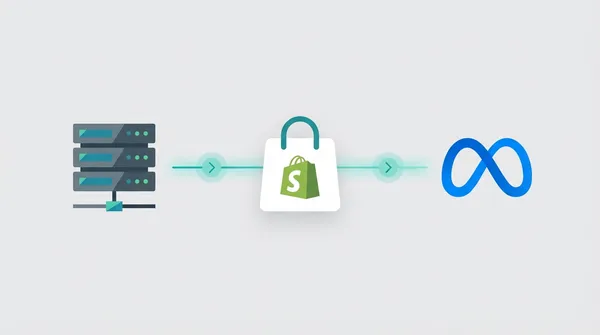
Here is how it works in plain English. When a customer clicks your Google ad and eventually makes a purchase, two things happen. First, the standard Google Ads tag on your website tries to record the conversion in the browser. Second, Enhanced Conversions sends hashed (encrypted) customer data — such as their email address or phone number — directly from your server to Google.
Google then takes that hashed data and matches it against the information it already has for the person who clicked your ad. If the match succeeds, Google attributes the conversion to the correct ad click, even if the browser-side tag failed completely.
The customer data is hashed using SHA-256 before it leaves your server. Google never sees the raw email address or phone number. They only receive a one-way encrypted string that they can match against their own hashed records.
Why Standard Google Ads Tracking Is Not Enough Anymore
If you have been running Google Ads for a while, you might have noticed your reported conversion numbers drifting further from what Shopify actually shows. That gap is not a coincidence.
The same problems plaguing Meta’s tracking are hitting Google Ads just as hard. Ad blockers now affect roughly 30% of desktop users, and that number grows every year. Extensions like uBlock Origin block the Google Ads tracking tag entirely, meaning those conversions simply vanish.
Then there is Apple. Since iOS 14.5, most iPhone users have opted out of cross-app tracking. Safari’s Intelligent Tracking Prevention (ITP) restricts cookies to as little as 24 hours in some cases. If a customer clicks your ad on Monday and buys on Wednesday, that conversion may never be attributed to your campaign.
Chrome has also tightened its cookie policies. Even on the friendliest browser for advertisers, third-party cookies are being phased out.
Here is why this matters beyond just reporting. Google’s Smart Bidding strategies — Target ROAS, Maximise Conversions, Target CPA — all rely on conversion data to make bidding decisions. When your tracking misses 20-40% of conversions, Google’s algorithm thinks your campaigns are performing worse than they actually are. It bids less aggressively, shows your ads to fewer people, and your costs creep up while your reach shrinks.
In short, bad data leads to bad bidding, which leads to wasted ad spend.
The Measurable Impact of Enhanced Conversions
This is not guesswork. Google has published the performance data.
According to Google’s own case studies, merchants using Enhanced Conversions see up to 13% lower cost per acquisition (CPA) and up to 19% more attributed conversions. Those are not marginal gains. For a store spending $5,000 per month on Google Ads, a 13% CPA reduction could save you $650 per month — or nearly $8,000 per year.
The improvement comes from two places. First, you are recovering conversions that were previously invisible to Google. More accurate conversion data means Google’s algorithm can better identify which clicks lead to purchases. Second, with better data, Smart Bidding can optimise more aggressively. It knows which audiences, keywords, and placements actually convert, so it allocates your budget more effectively.
If you have already set up server-side tracking for Meta, you understand the principle. Enhanced Conversions is Google’s equivalent — and the results are just as compelling.
Want to set up Enhanced Conversions without the hassle?
ReclaimROAS sends Enhanced Conversions to Google Ads automatically for every Shopify purchase. No code, no GTM required.
Install ReclaimROAS Free →How to Set Up Enhanced Conversions on Shopify
There are three main approaches, ranging from fully manual to fully automatic. Choose the one that matches your technical comfort level.
Option 1: Google Tag Manager (Manual)
Google Tag Manager (GTM) gives you full control over your Enhanced Conversions setup, but it requires a fair amount of technical knowledge.
The process involves creating a conversion tracking tag in GTM, enabling Enhanced Conversions in your Google Ads account settings, and then configuring the tag to capture hashed customer data from your Shopify checkout. You will need to set up a data layer that passes customer email and address data, then map those variables in your GTM conversion tag.
Pros: Full control over what data is sent and when. No additional app costs.
Cons: Requires familiarity with GTM, JavaScript, and Shopify’s checkout data layer. If you make a mistake, you could break your tracking entirely. Ongoing maintenance falls on you — and Shopify checkout changes can silently break your setup.
Best for: Stores with a developer on staff or a technical founder comfortable with GTM.
Option 2: Google Ads Data Manager
Google Ads Data Manager is a newer feature that connects your first-party data sources directly to Google Ads. It can pull customer data from your CRM, email platform, or e-commerce system and use it for Enhanced Conversions.
You access it from your Google Ads account under Tools > Data Manager. From there, you can connect supported platforms and configure which customer data fields to send.
Pros: No code required on your website. Google manages the data pipeline.
Cons: Shopify is not natively supported as a data source, so you may need a workaround through a CRM or customer data platform. Setup can be confusing for non-technical users. Still relatively new, so documentation and support are limited.
Best for: Stores already using a CRM like HubSpot or Salesforce that integrates with Google Ads Data Manager.
Option 3: Use a Tracking App Like ReclaimROAS (Automatic)
The simplest option is to use a Shopify app that handles Enhanced Conversions for you. Apps like ReclaimROAS install on your store, connect to your Google Ads account, and automatically send Enhanced Conversion data for every purchase.
There is no code to write, no GTM to configure, and no data layer to maintain. When an order comes through Shopify, the app captures the relevant customer data, hashes it, and sends it to Google’s API on your behalf.
Pros: Five-minute setup. No technical knowledge required. Handles hashing, deduplication, and error recovery automatically. Dashboard to verify what is being sent.
Cons: Monthly cost, though ReclaimROAS offers a free tier. You have less granular control compared to a custom GTM setup.
Best for: Most Shopify merchants who want Enhanced Conversions working reliably without the complexity. Check the pricing page to find the right plan for your store.
How Enhanced Conversions Works With Your Existing Campaigns
One of the best things about Enhanced Conversions is that you do not need to change anything about your existing Google Ads campaigns.
Once Enhanced Conversions is active, the additional conversion data flows into the same conversion actions your campaigns already use. If you are running Target ROAS bidding, Google’s algorithm automatically incorporates the recovered conversions when making bid decisions. The same goes for Maximise Conversions, Target CPA, or any other Smart Bidding strategy.
You do not need to create new campaigns, adjust your bidding settings, or modify your conversion actions. The data simply becomes more complete, and Google’s algorithm adjusts its bidding accordingly.
Over the first one to two weeks, you will likely notice your reported conversion count increase — not because you are getting more sales, but because Google is now attributing sales it was previously missing. Your reported ROAS should improve, and over the following weeks, you should see your actual CPA decrease as the algorithm optimises against better data.
This is particularly valuable during high-traffic periods like Black Friday or end-of-financial-year sales. When every dollar of ad spend matters, having accurate conversion data ensures Google is bidding based on reality rather than a partial picture.
Start Recovering Your Google Ads Data
Google Enhanced Conversions is no longer optional if you are serious about Google Ads performance. The tracking landscape has changed, and the standard conversion tag alone cannot keep up.
The good news is that setting it up does not have to be complicated. Whether you go the manual GTM route, use Google Ads Data Manager, or let an app handle it automatically, the most important step is getting started. Every day without Enhanced Conversions is a day your Google Ads campaigns are making decisions with incomplete information.
Your Google Ads deserve better data.
ReclaimROAS sends Enhanced Conversions to Google automatically for every purchase on your Shopify store. Install free — no code changes, no developer needed.
Install ReclaimROAS Free →