Best Shopify Conversion Tracking Apps in 2026: Honest Comparison
If you run ads for your Shopify store, you already know the problem: your ad platforms are under-reporting conversions, your ROAS looks worse than it really is, and you are making budget decisions based on incomplete data. The fix starts with picking the best Shopify conversion tracking app for your store. But with dozens of options on the App Store, how do you know which one actually works?
We compared five of the most popular tracking apps — Littledata, Elevar, Triple Whale, OnePixel, and our own app, ReclaimROAS — across price, ease of setup, platform support, and overall value. This is an honest comparison. We will tell you where each app shines and where it falls short, including our own.
TL;DR
Littledata and Elevar are powerful but expensive and technical. Triple Whale is best for large brands that want attribution dashboards. OnePixel is a solid free option for basic pixel management. ReclaimROAS is built for merchants who want simple, affordable signal recovery for Meta and Google Ads without a steep learning curve.
What to look for in a tracking app
Before diving into specific apps, it helps to know what separates a good tracking app from a mediocre one. Here are the criteria that actually matter.
Platforms supported. At a minimum, you need Meta (Facebook/Instagram) and Google Ads. If you also run ads on TikTok, Pinterest, or Snapchat, check whether the app covers those channels.
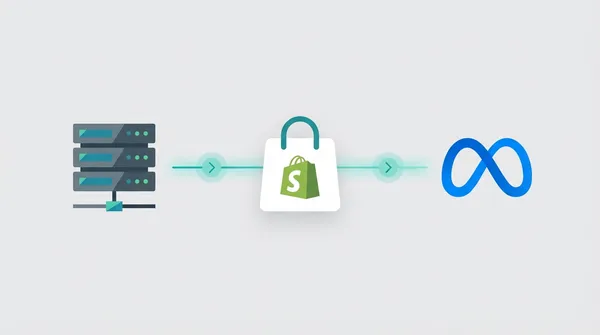
Server-side tracking. This is non-negotiable in 2026. Browser-side tracking alone misses 20-40% of conversions due to ad blockers, iOS privacy restrictions, and cookie expiration. If the app does not send data server-to-server, it is not solving the core problem. If you want a deeper understanding of why browser-side tracking breaks, read our complete guide to Shopify conversion tracking.
Ease of setup. Some apps take five minutes to install. Others require a developer, a Google Tag Manager server container, and a weekend of troubleshooting. Be honest about your technical comfort level.
Pricing model. Tracking apps range from free to several hundred dollars per month. Some charge per order, which means your costs scale unpredictably as you grow. Others charge a flat monthly fee with tiered plans.
Dashboard and reporting. Can you actually see what the app is doing? Some apps work silently in the background with no visibility into recovered data. Others give you a clear dashboard showing exactly what was recovered and sent to each platform.
Support quality. When your tracking breaks during a sale weekend, you need fast help. Check app reviews for support responsiveness.
Littledata: the data layer pioneer
Littledata has been in the Shopify tracking space longer than most. It started as a Google Analytics connector and has grown into a comprehensive data layer solution that supports GA4, Meta CAPI, Klaviyo, Segment, TikTok, Pinterest, and more.
Strengths
Littledata’s biggest advantage is the breadth of its integrations. If you need accurate data flowing to GA4, Klaviyo, and multiple ad platforms simultaneously, Littledata handles that better than almost anyone. Its subscription tracking (for stores using Recharge or other subscription apps) is particularly strong. The app has matured over many years and its data layer is battle-tested.
For stores that rely heavily on Google Analytics 4 for reporting, Littledata’s server-side GA4 connection is genuinely best-in-class. It captures events that the standard gtag.js script misses, giving you more reliable data inside GA4 reports.
Weaknesses
Littledata is not cheap. Pricing starts with a per-order model ($0.35/order) or fixed plans from $99/month and up. For a store processing 500 orders per month, the per-order pricing hits $175/month. That adds up fast.
The app is also complex. There is a learning curve to understanding how the data layer works, which events are being captured, and how to troubleshoot when something looks off. There is no visual “recovery dashboard” showing you what was missing and what was recovered. You need to cross-reference data between Littledata, GA4, and your ad platforms to confirm things are working.
Best for
Larger brands with complex analytics needs, multiple ad platforms, and a dedicated analytics or marketing operations person. If you already use Segment or need deep GA4 accuracy, Littledata is hard to beat.
Elevar: the GTM automation specialist
Elevar is built for merchants who want the power of Google Tag Manager without having to manually configure everything. It automates the creation of a server-side GTM data layer and connects it to your ad platforms.
Strengths
Elevar’s server-side GTM approach gives you a level of control that few other apps match. You get a proper data layer, consent mode support, and the ability to customise exactly which events fire and what data they carry. For Shopify Plus merchants with custom checkout flows (like post-purchase upsells or multi-step checkouts), Elevar handles edge cases that simpler apps miss.
Elevar also has strong documentation and a structured onboarding process. If you are willing to invest time learning the platform, the payoff is a highly customised tracking setup that is tailored precisely to your store.
Weaknesses
The price is a barrier. Plans start at $145/month and go higher for Plus stores with advanced needs. The technical complexity is also real. While Elevar automates parts of GTM setup, you still need to understand what a data layer is, how GTM containers work, and how server-side tagging differs from client-side. For merchants without a developer or technical marketer on the team, this can feel overwhelming.
If you are on a standard Shopify plan (not Plus) with a straightforward checkout, Elevar’s power is largely unnecessary. You are paying for capabilities you will not use.
Best for
Shopify Plus merchants with custom checkout flows, complex tagging requirements, and either in-house technical staff or an agency managing their tracking. Elevar is the right tool when you need granular control and are willing to pay for it.
Triple Whale: the attribution dashboard
Triple Whale has built one of the most visually impressive analytics dashboards in the Shopify ecosystem. It goes beyond basic tracking into full attribution modelling, creative performance analytics, and customer journey mapping.
Strengths
The dashboard is genuinely excellent. Triple Whale gives you a single view of your ad performance across Meta, Google, TikTok, and more. You can see blended ROAS, compare platform-reported numbers to Triple Whale’s own attribution model, and identify which creatives are driving the most revenue. The post-purchase survey feature (“How did you hear about us?”) adds a layer of zero-party attribution data that no pixel can provide.
The Triple Pixel provides first-party tracking that helps fill gaps left by browser-side pixels. For brands spending significant amounts on ads, the creative analytics alone can justify the cost by helping you double down on winning ads faster.
Weaknesses
Triple Whale is expensive. Plans start around $100/month for basic features, and the more powerful attribution and analytics features push costs higher. The platform is also focused primarily on attribution dashboards and creative analytics, not on signal recovery. It tells you what is happening with your ads but is less focused on maximising the conversion data flowing back to Meta and Google.
For a merchant who simply needs to make sure their purchase events are reaching Meta CAPI and Google Enhanced Conversions reliably, Triple Whale is more than you need. It is solving a different (and broader) problem.
Best for
Brands spending $50,000 or more per month on ads who need deep attribution insights, creative performance analysis, and a unified dashboard across all channels. If you are a seven or eight-figure brand with a media buyer analysing data daily, Triple Whale is a strong choice.
OnePixel: the multi-pixel manager
OnePixel takes a different approach. Rather than building a sophisticated data layer or attribution model, it focuses on making it simple to install and manage pixels from multiple ad platforms on your Shopify store.
Strengths
OnePixel is refreshingly simple. You install it, connect your ad accounts, and it starts sending events. It supports Meta, Google, TikTok, Snapchat, Pinterest, and Twitter pixels, making it one of the broadest multi-platform options available. It includes server-side event sending for key platforms and offers a generous free tier.
For a small store that needs to get pixels running across several platforms without hiring a developer, OnePixel is hard to beat on convenience and cost. Setup takes minutes, not hours.
Weaknesses
The dashboard is basic. You can see that events are being sent, but there is limited visibility into how much data is being recovered versus what is being lost. The focus is on pixel management (making sure the right events fire on the right pages) rather than on signal recovery (maximising the data that reaches ad platforms even when browsers block it).
For merchants whose primary concern is recovering lost conversions and improving their Event Match Quality scores on Meta, OnePixel may not go deep enough.
Best for
Small stores and new merchants who need an easy, affordable way to manage pixels across multiple ad platforms. If your main goal is simply getting your Meta, Google, and TikTok pixels installed correctly, OnePixel does that well.
Want to try ReclaimROAS before reading more?
Install free from the Shopify App Store and see your recovered conversions in minutes. No credit card required.
Install ReclaimROAS Free →ReclaimROAS: signal recovery made simple
Full disclosure: this is our app. We will be as honest about our weaknesses as we have been about everyone else’s. Here is what ReclaimROAS does, where it excels, and where it falls short.
ReclaimROAS is purpose-built for one job: recovering lost conversion data for Shopify merchants running Meta and Google Ads. It sends purchase and event data server-side via Meta CAPI and Google Enhanced Conversions, bypassing the browser-side issues (ad blockers, iOS privacy, cookie expiration) that cause tracking gaps. If you are not sure why those gaps happen, our guide on why your Meta Pixel misses Shopify purchases breaks it down.
Strengths
Simple setup. You install from the Shopify App Store, connect your Meta and Google accounts, and you are done. No GTM containers, no data layers, no developer required. Most merchants are up and running in under five minutes.
Visual recovery dashboard. This is the feature we are most proud of. ReclaimROAS shows you exactly how many conversions were recovered that your browser-side pixel would have missed. You can see the gap between what Meta and Google would have reported without server-side tracking versus what they actually received. It makes the value of the app immediately visible.
Affordable pricing. There is a free tier for stores getting started. Paid plans run $49/month (Growth) and $149/month (Pro), which is significantly less than Littledata, Elevar, or Triple Whale. You can see the full breakdown on our pricing page.
Focused functionality. ReclaimROAS does one thing and does it well. It is not trying to be an analytics platform, an attribution model, or a data warehouse connector. It recovers your lost conversion signals and sends them where they need to go.
Weaknesses
Fewer integrations. ReclaimROAS supports Meta and Google Ads. That is it, for now. If you also need tracking for TikTok, Pinterest, Snapchat, GA4, or Klaviyo, you will need an additional tool or wait for us to add those integrations. Littledata and OnePixel have us beat here.
Newer app. ReclaimROAS has not been around as long as Littledata or Elevar. We have fewer reviews, a shorter track record, and a smaller team. For merchants who prioritise maturity and ecosystem reputation, this matters.
No attribution modelling. ReclaimROAS does not tell you which ad or creative drove a conversion. It recovers the conversion data and sends it to Meta and Google, letting those platforms handle attribution. If you need cross-channel attribution analysis, Triple Whale is the better choice.
Best for
Shopify merchants running Meta and/or Google Ads who want simple, affordable tracking recovery without complexity. If your main goal is to stop losing conversion data so your ad platforms can optimise properly, and you do not need a full analytics suite, ReclaimROAS is built for you. Learn more on our how it works page.
Comparison table
Here is a side-by-side view of all five apps across the criteria that matter most.
| Feature | Littledata | Elevar | Triple Whale | OnePixel | ReclaimROAS |
|---|---|---|---|---|---|
| Starting Price | $99/mo or $0.35/order | $145/mo | $100/mo | Free | Free |
| Ad Platforms | Meta, Google, TikTok, Pinterest, Snap | Meta, Google, TikTok, Pinterest | Meta, Google, TikTok, Snap | Meta, Google, TikTok, Snap, Pinterest | Meta, Google |
| Server-side Tracking | Yes | Yes (via GTM) | Yes (Triple Pixel) | Yes (select platforms) | Yes (CAPI + Enhanced Conversions) |
| GA4 / Klaviyo | Yes | Yes (via GTM) | No | No | No |
| Setup Time | 30-60 min | 1-2 hours | 15-30 min | 5-10 min | 5 min |
| Technical Skill Needed | Medium-High | High | Low-Medium | Low | Low |
| Recovery Dashboard | No | No | Attribution dashboard | Basic | Yes (visual recovery view) |
| Attribution Modelling | No | No | Yes | No | No |
| Best For | Large brands, complex analytics | Shopify Plus, custom checkouts | Big ad spenders, creative analysis | Small stores, multi-platform pixels | SMBs wanting simple signal recovery |
Which one should you choose?
The right app depends on three things: your store size, your monthly ad spend, and your technical comfort level. Here is a simple framework.
You are a small store spending under $5,000/month on ads. Start with a free option. If you mainly need pixels installed across many platforms, OnePixel is a good fit. If you are focused on Meta and Google and want to see what conversion data you are losing, try ReclaimROAS.
You are a growing brand spending $5,000 to $50,000/month. This is where tracking recovery has the biggest impact on your bottom line. Every recovered conversion helps Meta and Google optimise your campaigns better, which directly lowers your cost per acquisition. ReclaimROAS’s Growth plan ($49/month) is built for this tier. If you also need deep GA4 data, consider pairing it with Littledata.
You are a large brand spending $50,000+/month. At this scale, the ROI from better attribution insights justifies higher costs. Triple Whale’s dashboard and creative analytics will help your media buying team make smarter decisions. If you are on Shopify Plus with a custom checkout, Elevar ensures nothing falls through the cracks.
You have a dedicated developer or analytics team. Elevar or Littledata will give you the most control and customisation. You will get value from their advanced features that simpler apps do not offer.
You are a non-technical merchant who just wants tracking to work. ReclaimROAS or OnePixel. Both install in minutes with no coding. ReclaimROAS gives you more visibility into what is actually being recovered, while OnePixel covers more ad platforms out of the box.
There is no single “best” app
The honest truth is that the best tracking app is the one that matches your needs, budget, and technical ability. Littledata and Elevar are genuinely excellent tools, but they are overkill and overpriced for most small to mid-sized Shopify merchants. Triple Whale is fantastic, but it is solving a broader problem than just tracking recovery. OnePixel is a great free starting point, but it does not go deep on signal recovery.
We built ReclaimROAS because we saw a gap: merchants who need reliable server-side tracking for Meta and Google, without the complexity or cost of enterprise-grade tools. If that sounds like you, we think you will like it. If it does not, one of the other apps on this list will serve you well.
The only wrong choice is doing nothing. If you are running ads without server-side tracking in 2026, you are losing data, wasting budget, and making decisions in the dark.
See what you've been missing.
Install ReclaimROAS free from the Shopify App Store — no credit card, no commitment. See your recovered conversions in minutes.
Install ReclaimROAS Free →